 Riptyde
 Rackloose
 Nice Guy University
 DemoStoke
 Antisyphon
 Bars of Sand
 DemoStoke Fleet Ops
 TimeFraim
 12 Step Meetings
 Find Your Flow State
 Who’s In Charge?
 Adam Chiappone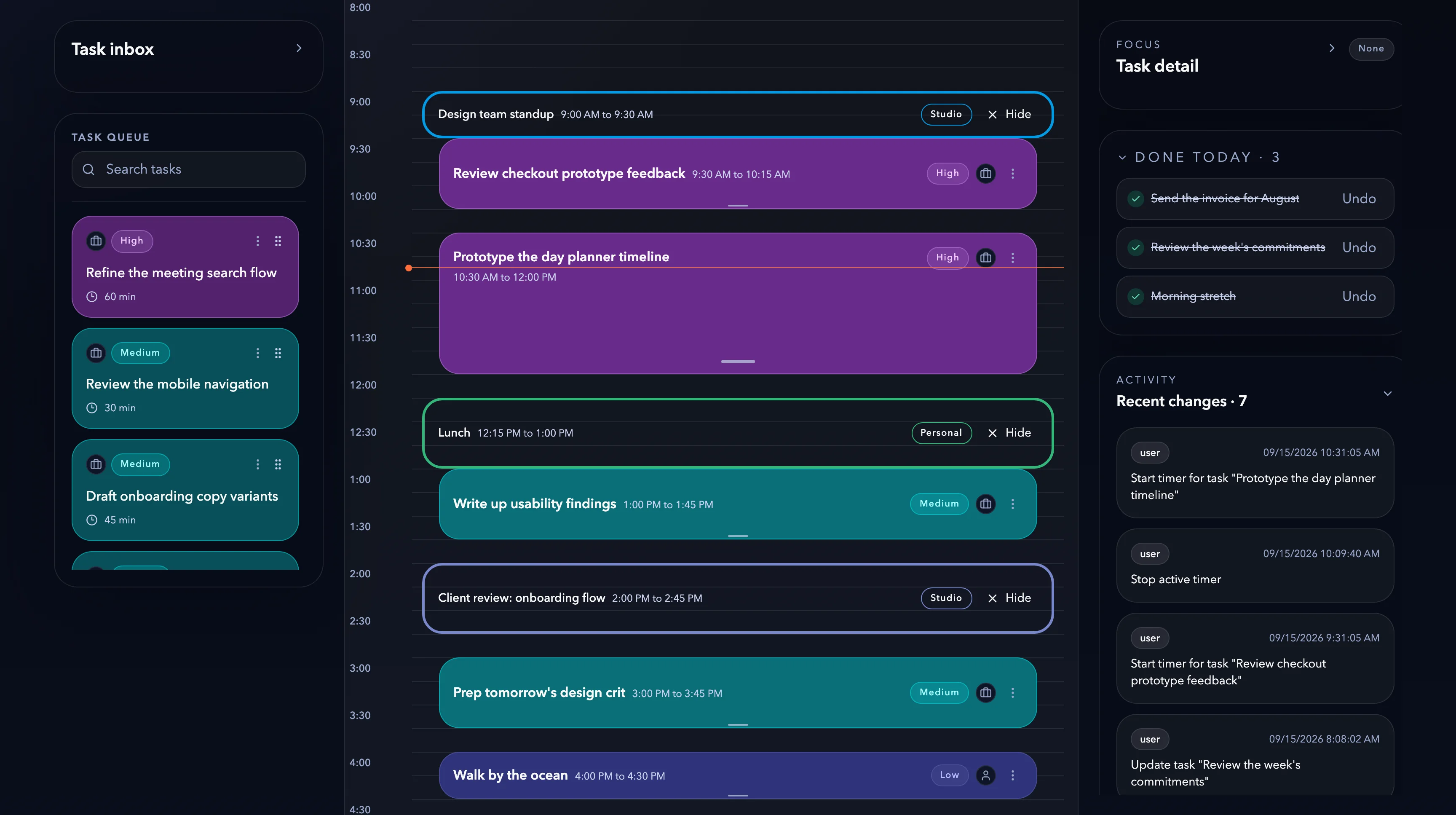
TimeFraim
Description
A daily planner that brings tasks, calendar blocks, and timers into one view.
My Roles
- Product strategy
- product engineering
- UX design
Project Link
Start from the calendar
A day rarely starts empty. I put Google Calendar events on the timeline first, so meetings already hold their place and the open hours are easy to spot. Planning starts with the time that’s actually free.
Keep task details close
I kept notes, time estimates, and priority in a detail panel beside the plan. Selecting a task brings its details into view without leaving the page, and quick duration presets make it easier to turn a vague to-do into a realistic block of time.
See work move forward
Some days start with sorting work before scheduling it. I added a board for moving tasks from Inbox to Planned, Scheduled, and Done, with estimates and priority on each card. A link back to the planner keeps the big picture tied to the day’s actual hours.
Stay with the task
Switching to a separate timer pulls attention away from the work. I brought Toggl controls into the planner and gave the running task its own elapsed-time panel. Users can see what they’re working on, open its details, and stop the timer in one place.