 Riptyde
 Rackloose
 Nice Guy University
 DemoStoke
 Antisyphon
 Bars of Sand
 DemoStoke Fleet Ops
 TimeFraim
 12 Step Meetings
 Find Your Flow State
 Who’s In Charge?
 Adam Chiappone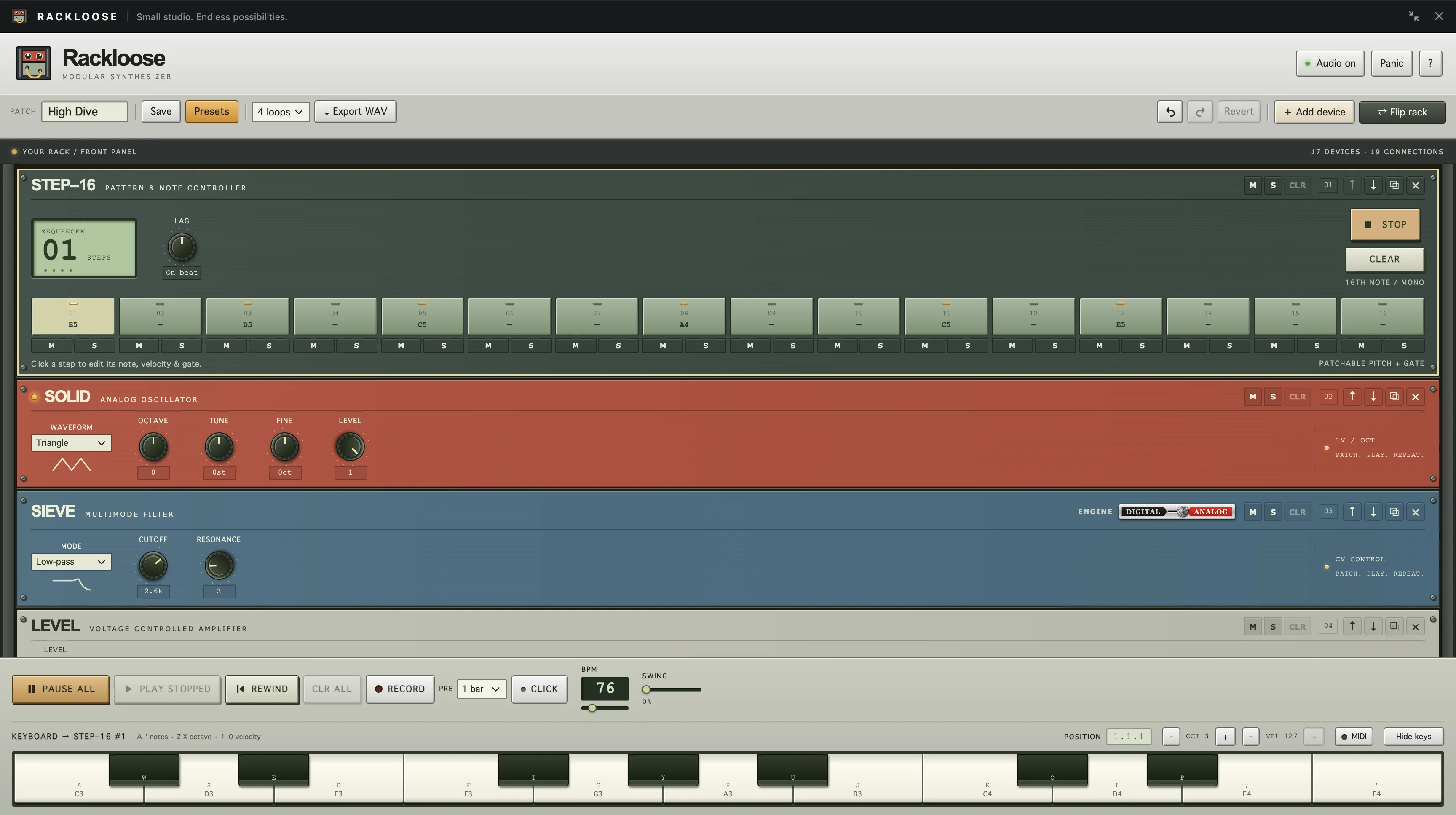
Rackloose
UX Case Study
Description
Rackloose is a modular synth that runs in a browser tab: a rack of original instruments, drum machines, and effects you wire together with virtual cables.
My Roles
- Product strategy
- UX design
- product engineering
- sound design
Project Link
The What
Product Summary
Rackloose is a studio rack in the browser. Synths, drum machines, sequencers, a mixer, and effects stack in one column, and every one of them is an original design. Press Play All and a preset is making music before you touch a cable. It runs as its own site and as a React component other sites can drop in.
The Challenge
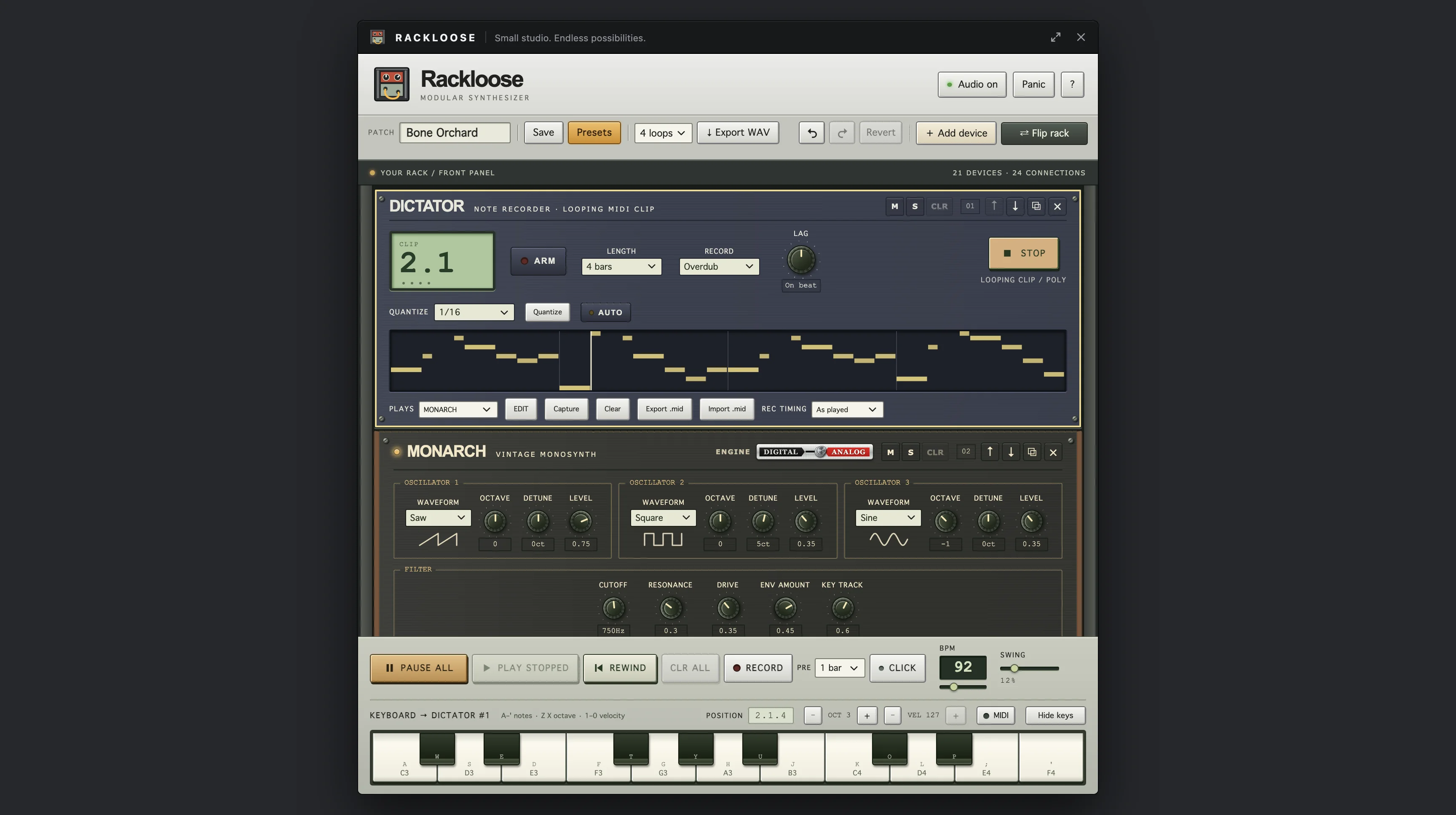
Modular synths are famously hard to start. You get a blank rack, a pile of cables, and silence until you work out what goes where. The browser adds its own rules: audio can’t start until you click, screens get small, and the whole thing still has to work on a phone.
The Solution
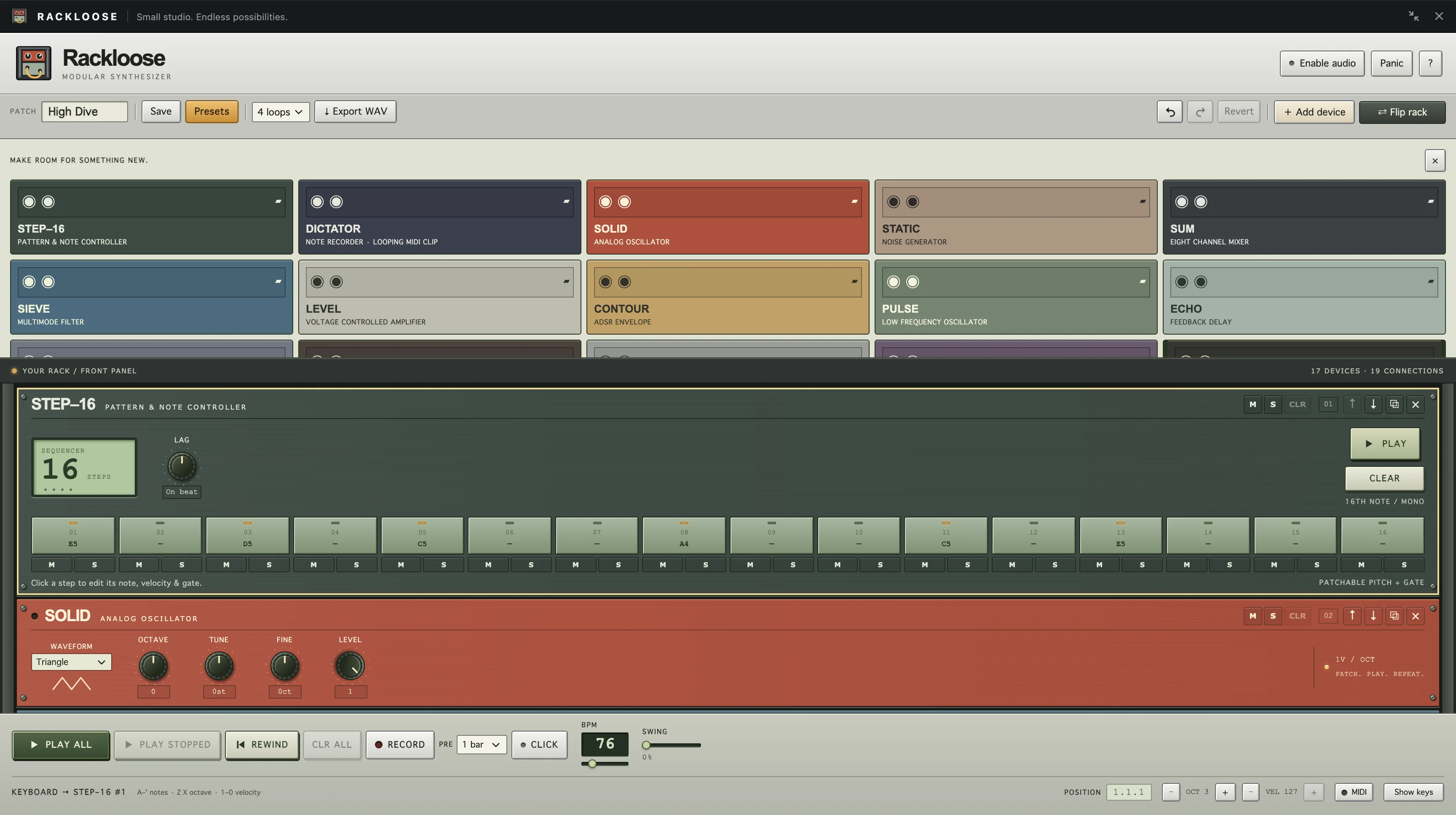
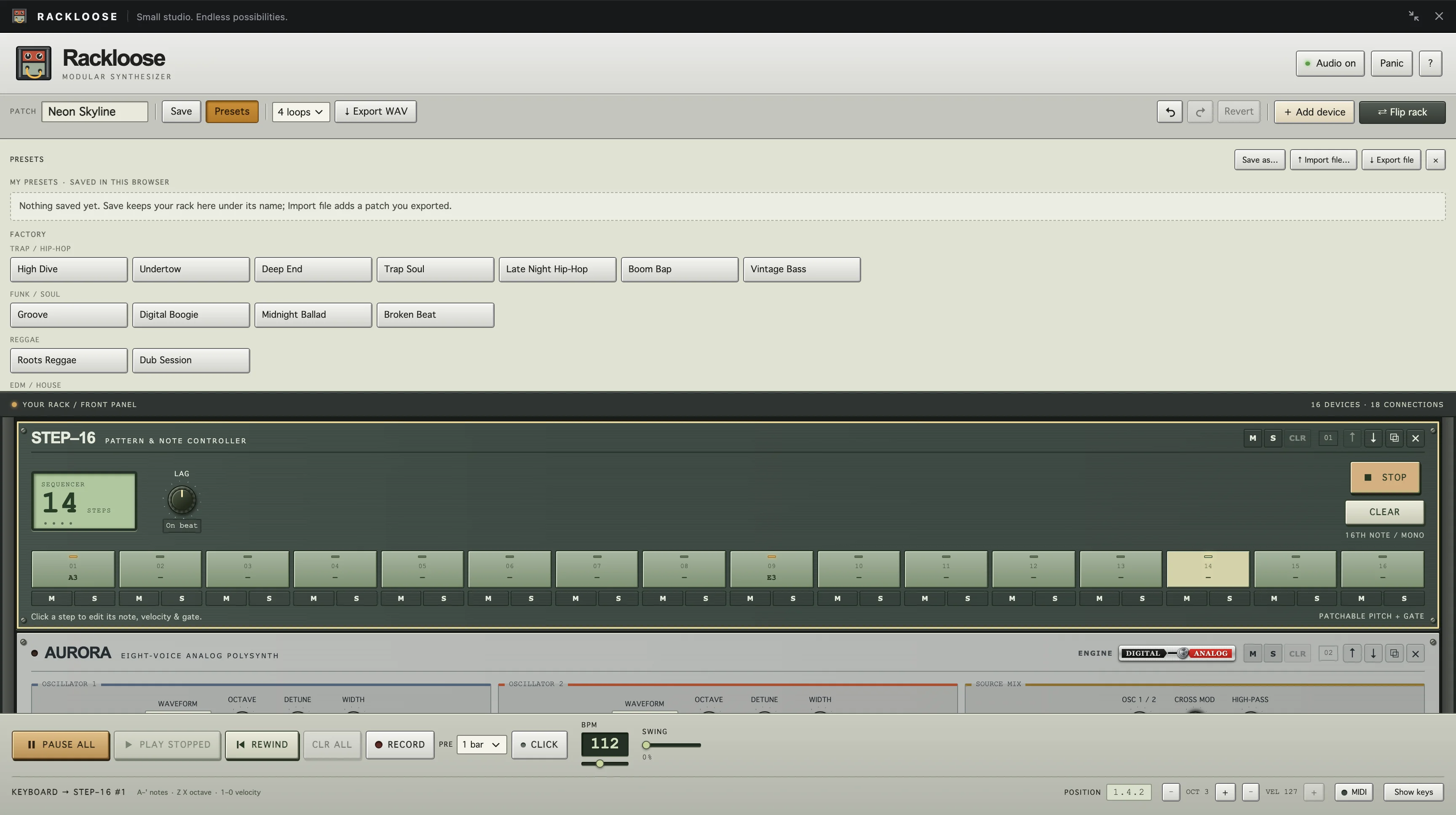
Start with sound. The rack opens on a full patch, and 27 factory presets in seven styles, from trap and funk to reggae, synthwave, and industrial, are one click away. Each one is a starting point you can pull apart. When you get curious, flip the rack and every cable is right there.
My Roles
I designed every device and the rack around them, wrote the sound engine and its DSP, built the factory presets, and wrote the user guide. Then I packaged it all as a component so it could live inside other sites.
The How / Studio Experience
Play First, Patch Later
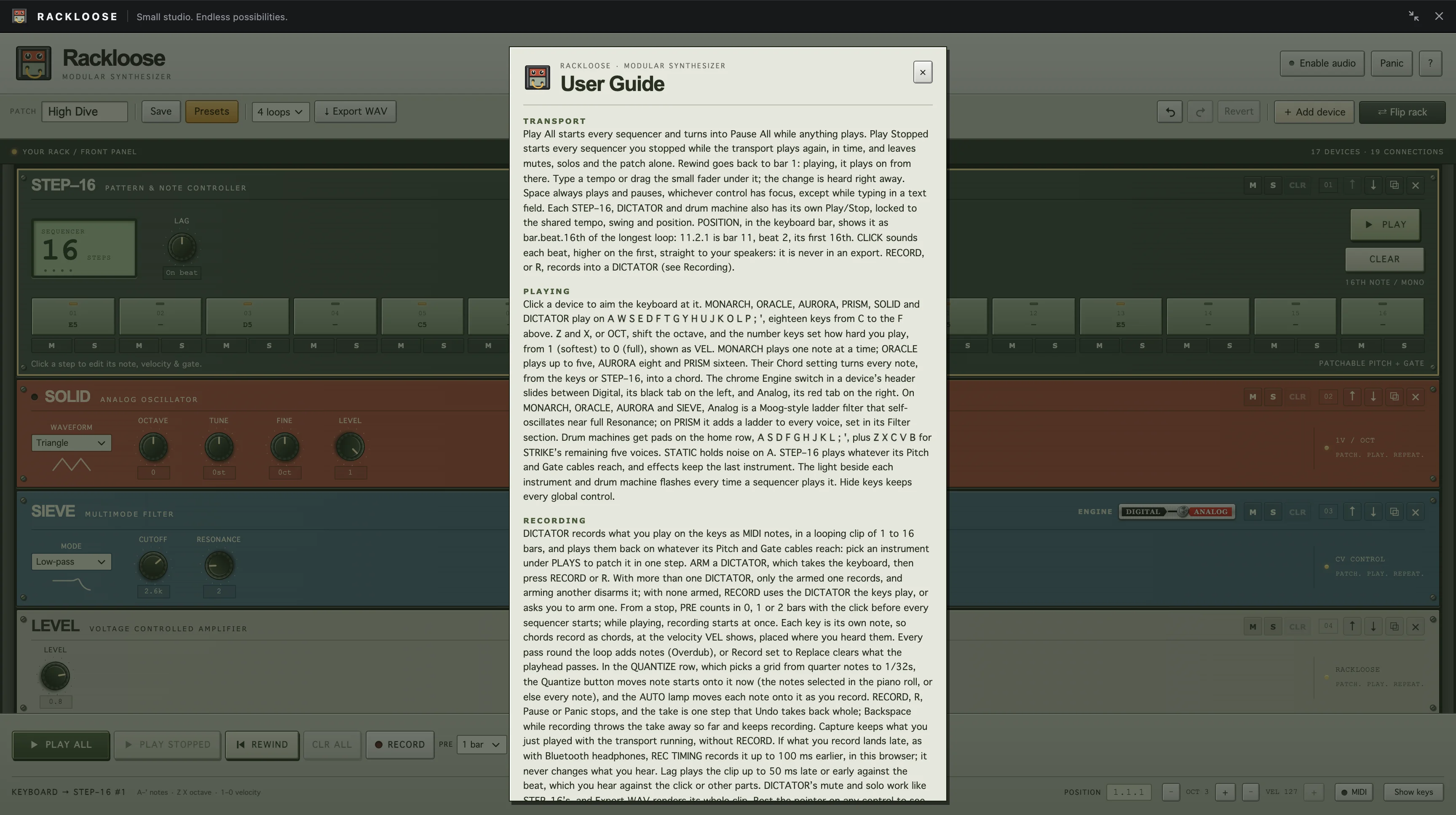
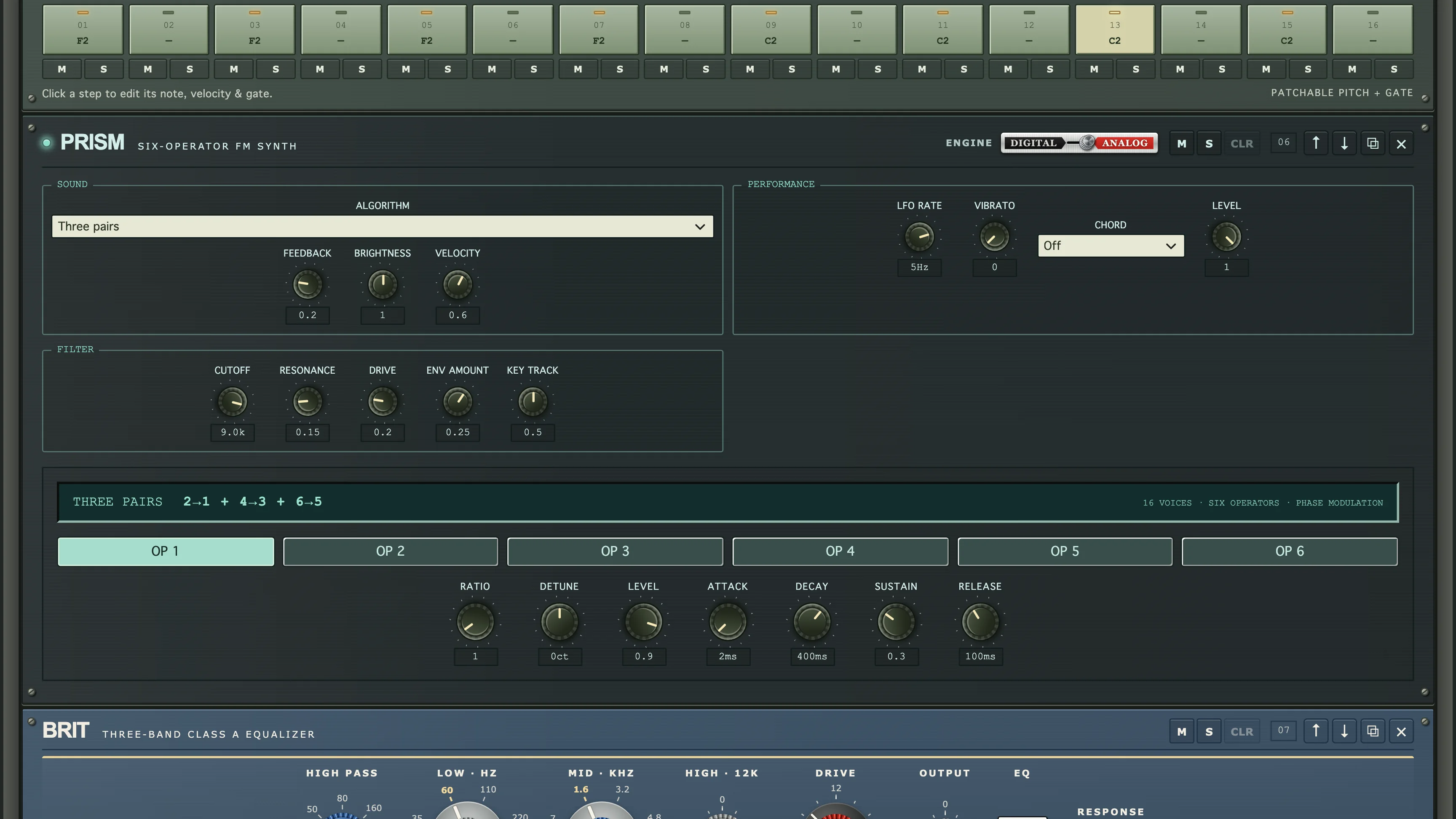
Nobody has to patch anything to hear something. Play All starts every sequencer at once, the computer keyboard plays whichever instrument you click, and a MIDI keyboard works too. The front panel holds the knobs and the music, and the cables wait on the back until you want them.
Depth on the Back
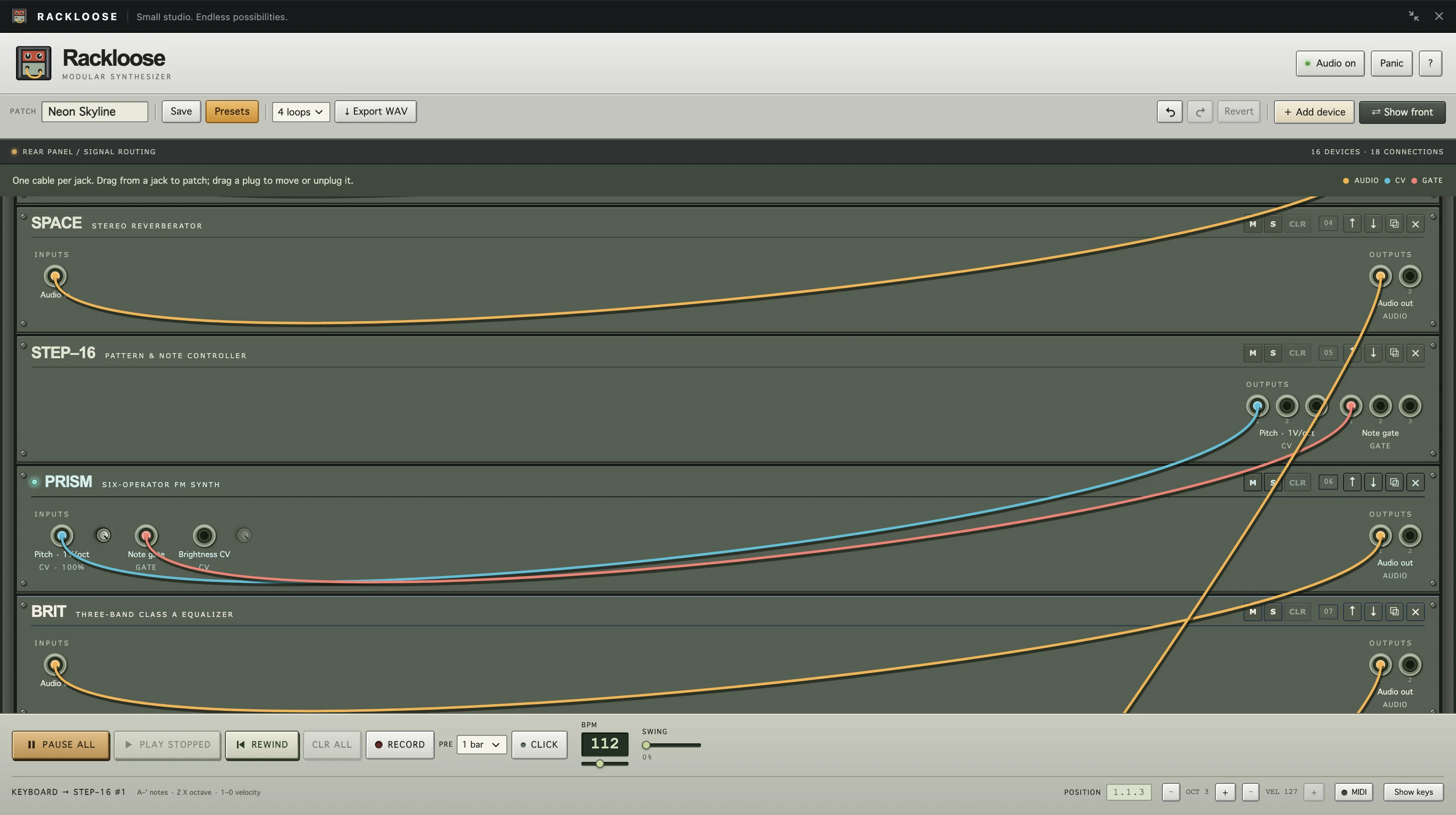
Flip the rack and the whole signal path is out in the open. Cables are colored by what they carry: audio, control voltage, or gate. On the back, each device shows only its jacks, with no knobs in the way.
Screenshots
The Who / Audiences and Stakeholders
- Have never patched a synth and want to hear something good right away.
- Start from a preset and change one knob at a time to learn what it does.
- Need plain labels and a guide that answers questions without a manual.
- Know the studio gear these devices nod to and expect them to behave like it.
- Want real routing: extra sequencers, modulation, an eight-channel mixer, and bus compression.
- Record ideas with DICTATOR, export them as MIDI, and bounce the patch to a WAV.
- Open the rack on a phone and still expect it to play.
- Need jacks and controls big enough to drag a cable with a thumb.
- Keep the ringer on silent and still want to hear the rack.
- Mount Rackloose as a React component inside their own pages.
- Need it to pause when it’s hidden, keep its keyboard shortcuts to itself, and clean up completely when it closes.
- Pin an exact release and check its checksum before installing it.
Methods / The UX Process
Hardware as the Reference
- Modeled each device on a classic piece of studio gear, from console channel strips to vintage polysynths, then gave it an original name, panel, and sound.
- Kept the hardware habits that make racks fun: long-throw faders, LED meters, needles on the compressors, and a flip to the back for the cables.
- Put mute, solo, clear, move, duplicate, and remove in the same spot on every device.
Patching Without Fear
- One cable per jack, with numbered spares on every output, so one signal can feed several inputs without stacked plugs.
- While you drag, only the free jacks that fit light up, and a line of text says what to do next. Escape cancels.
- Undo goes back 50 steps and Revert restores the saved patch, so trying something never costs you the patch.
The Sound Engine
- Built the rack on Web Audio. Ten devices also have an Analog engine: ladder filters and modeled drums written in Rust, compiled to WebAssembly, and run in AudioWorklets at 2x oversampling.
- Level-matched every Analog engine to its Digital version, with Digital as the fallback wherever WebAssembly can’t run.
- Made Export WAV render the patch offline through the same graph, so the file sounds like what you heard. Browser audio tests and Rust DSP tests keep it that way.
Shipping It as a Component
- Packaged the rack as a React component with props for keyboard focus, pausing audio, and its own save slot. It disposes every audio node when it unmounts.
- Shipped each version as an immutable release archive with a checksum, so host sites install exactly the build they tested.
- Left out the backend, accounts, API keys, and analytics. Patches autosave in the browser and export as files.
The Outcome
- Live at rackloose.michaelzick.com as a standalone studio.
- Running inside Mike OS on michaelzick.com, where it opens like any other desktop app.
- Booked for a regular gig in a basement bar somewhere on this site. You’ll have to find it.
- 23 releases and 133 commits in about three weeks.
Rackloose Product Screens
rackloose.michaelzick.comFront Panel
The front panel is where the music happens: knobs, step buttons, and the transport and keyboard along the bottom. The studio fills the screen or shrinks into a window.
Patching
Flip the rack to patch. Cables are colored by signal, each jack takes one cable, and a drag lights up only the jacks that fit.
Instruments
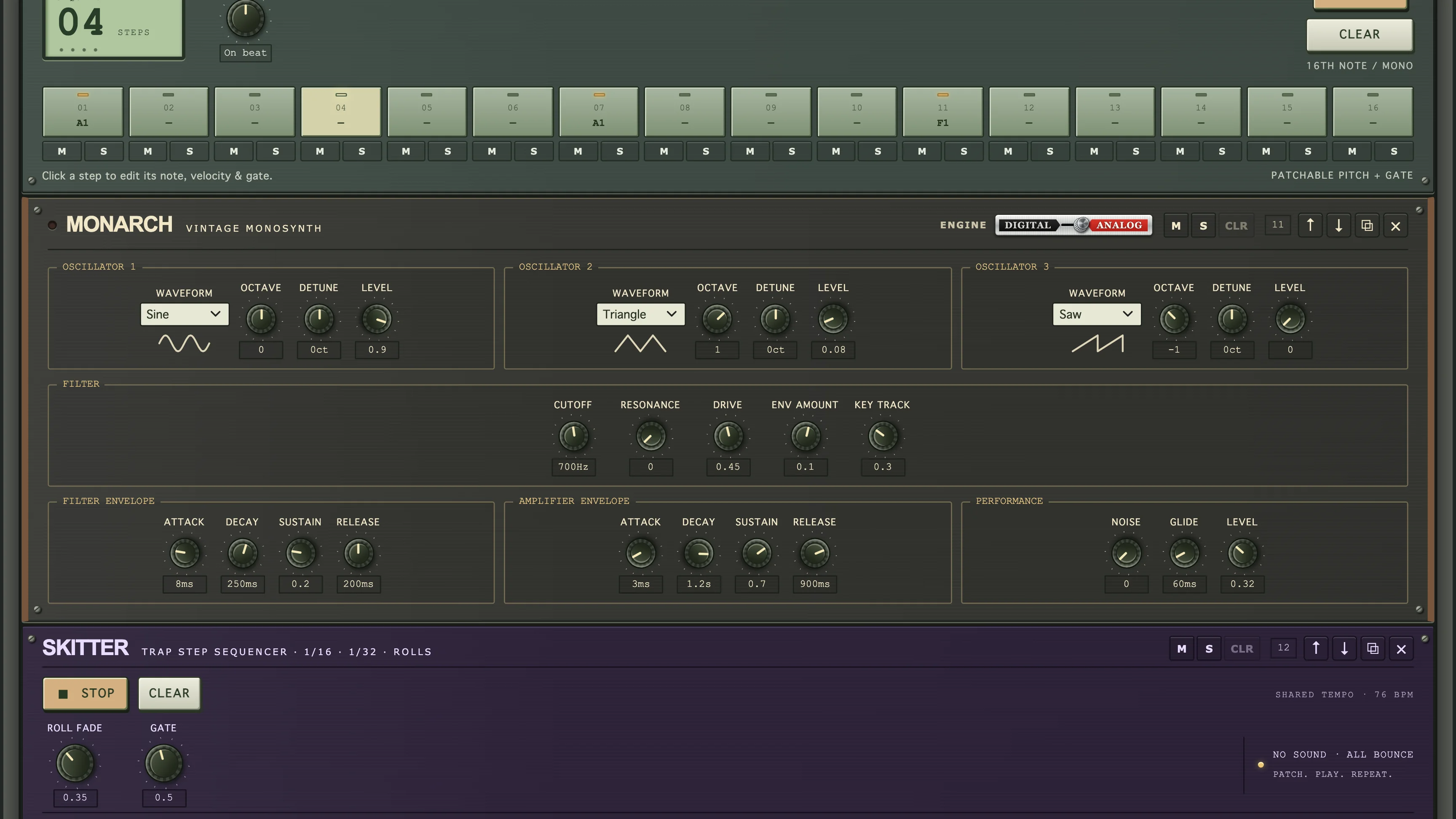
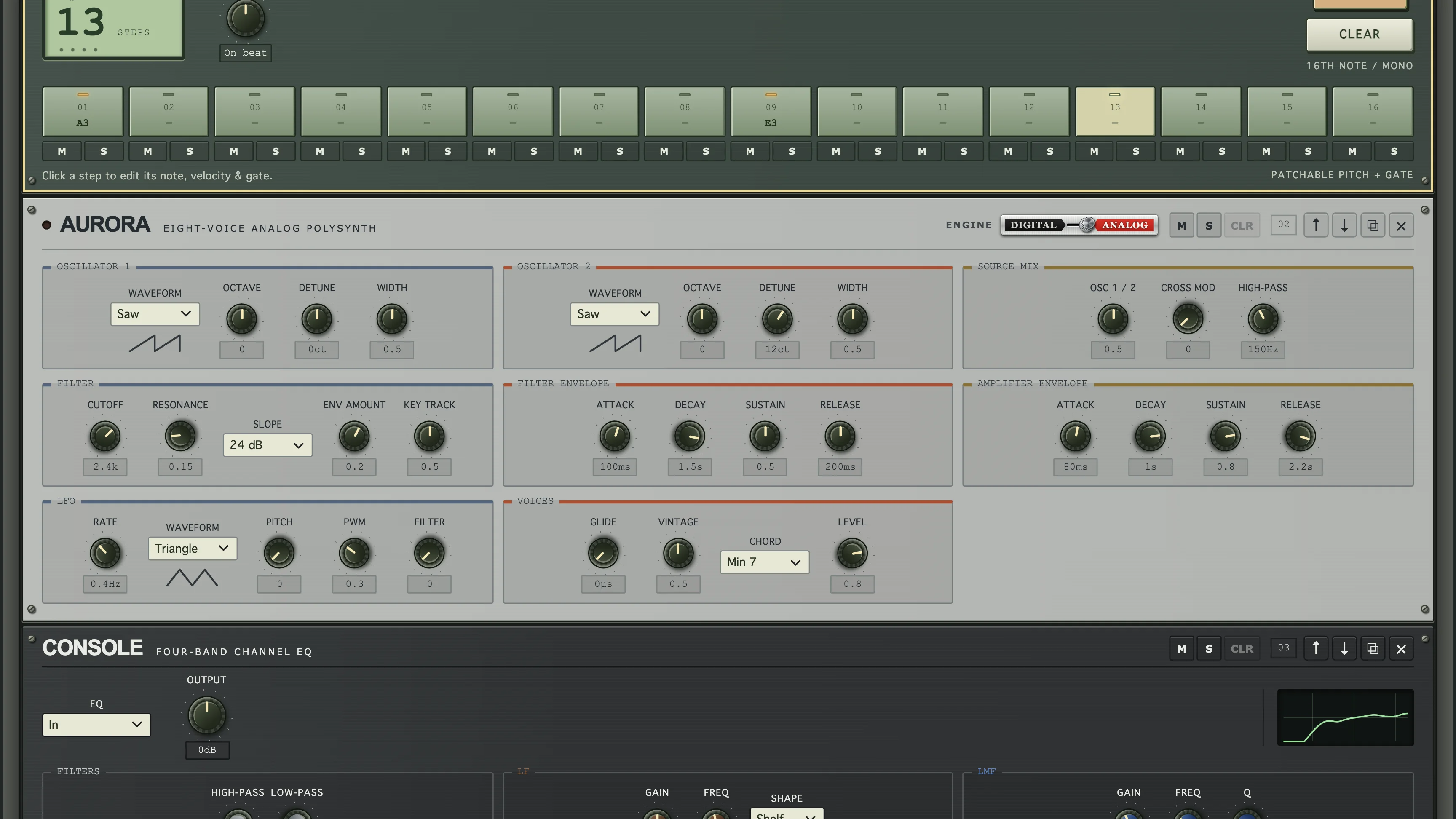
MONARCH is a three-oscillator mono synth, AURORA an eight-voice poly, ORACLE a five-voice poly, and PRISM a six-operator FM synth. The three polys can turn one key into a whole chord, and every one of the four switches between a Digital engine and an Analog one.
Drums and Grooves
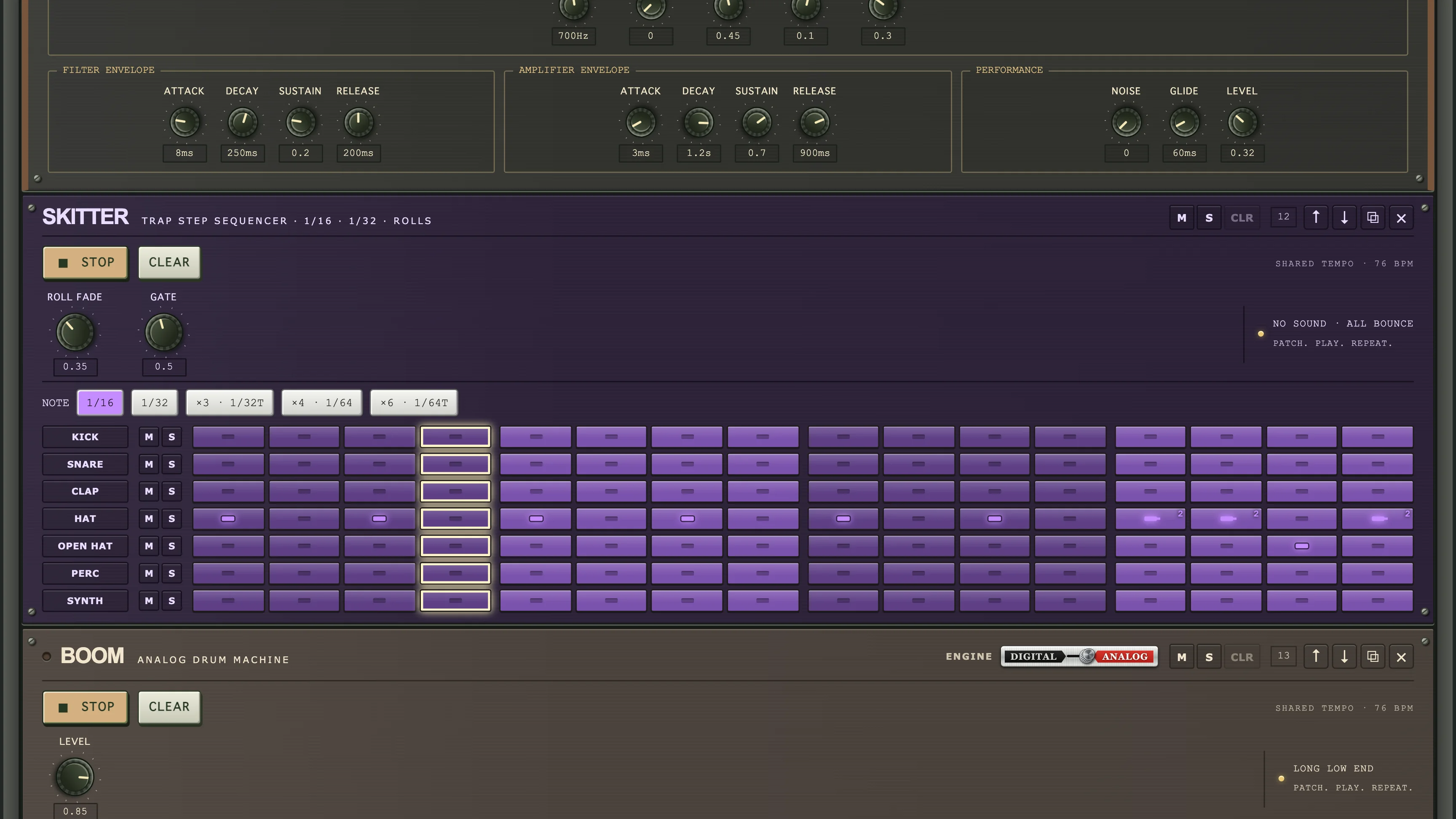
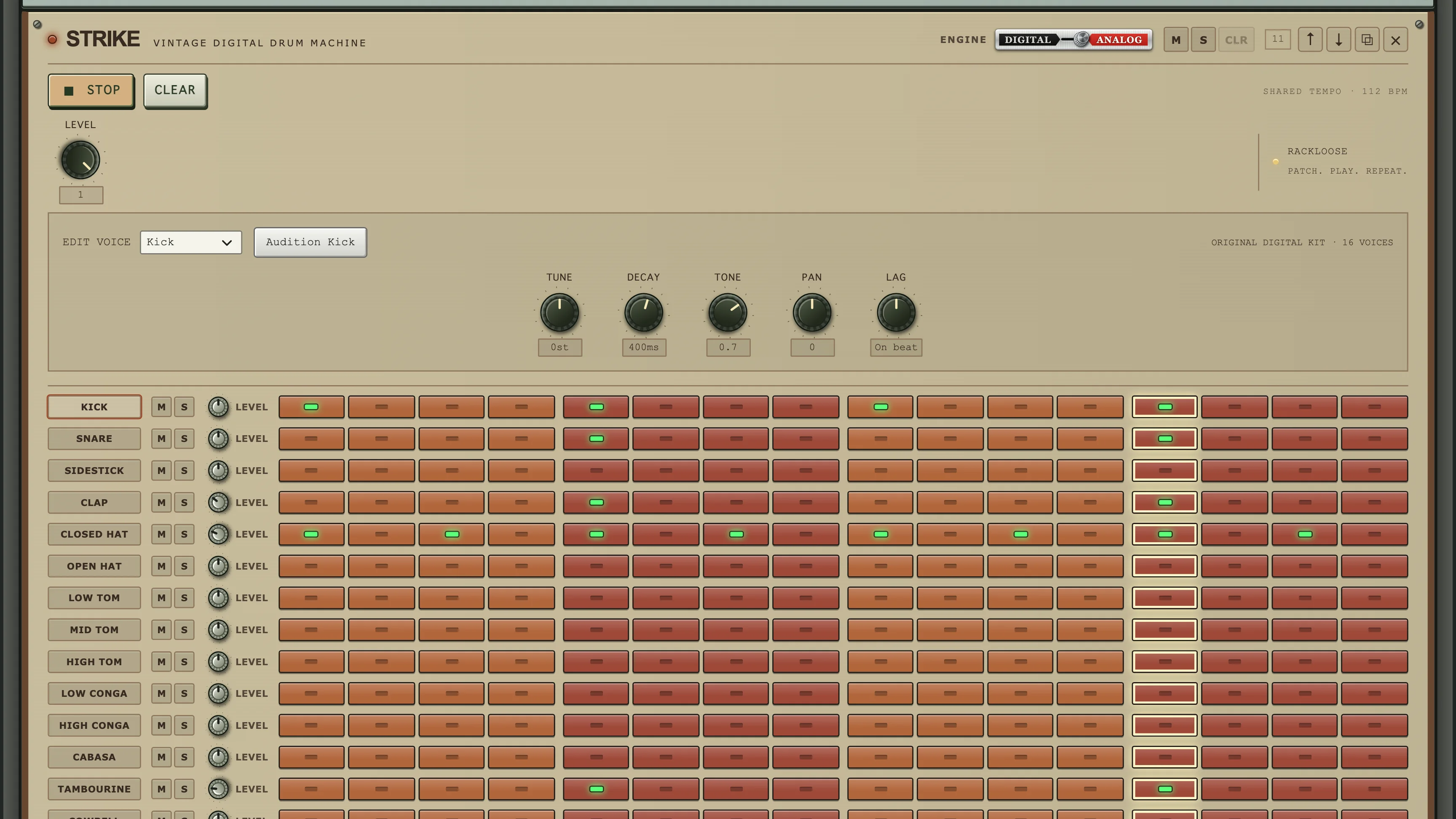
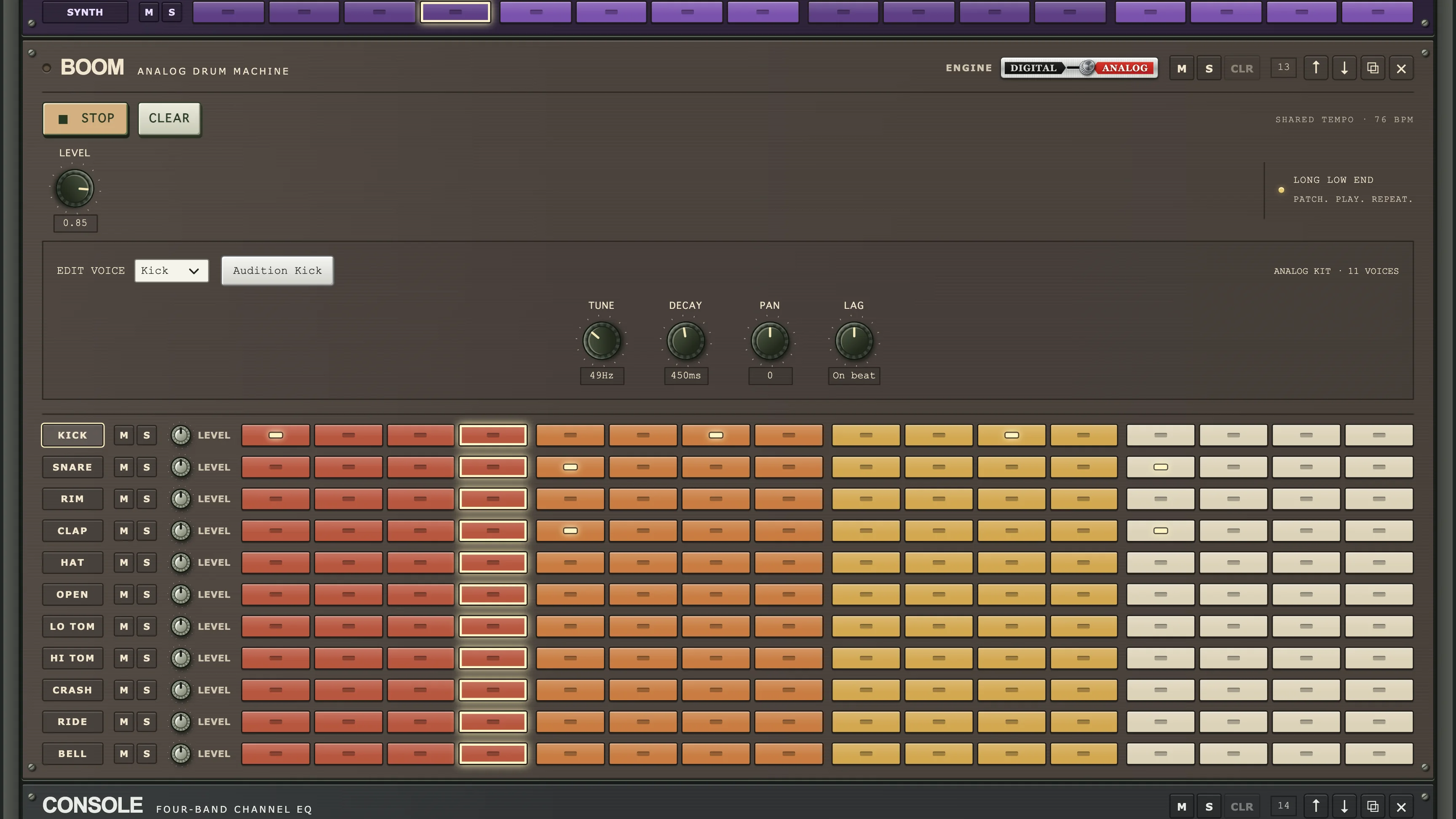
BOOM, STRIKE, and FORGE are three of the five drum machines, from an analog-style kit to an industrial one. SKITTER makes no sound on its own. It plays steps and rolls on any drum machine it’s patched to.
Recording and Mixing
DICTATOR records what you play into a looping MIDI clip, with a piano roll for fixing notes and .mid files in and out. SUM mixes eight channels, each named after the instrument feeding it, and VALVE and MAIN finish the mix.
Effects
RUST breaks a sound up five different ways, BRIT and CONSOLE shape the tone, ECHO and SPACE add delay and reverb, and TALON, COHERE, and VALVE handle the squeeze.
Presets and Devices
Twenty-seven factory presets in seven styles, plus your own, saved in the browser or exported as files. Add device opens the full catalog of sequencers, synths, drum machines, and effects.
On a Phone
On a phone the rack keeps every device, every cable, and the full transport, and it still plays with the ringer on silent.
Out in the World
Rackloose opens like any other app inside Mike OS on michaelzick.com. It also plays a regular gig in a basement bar somewhere on this site. Look for the sign.